

OVERVIEW
About Muze
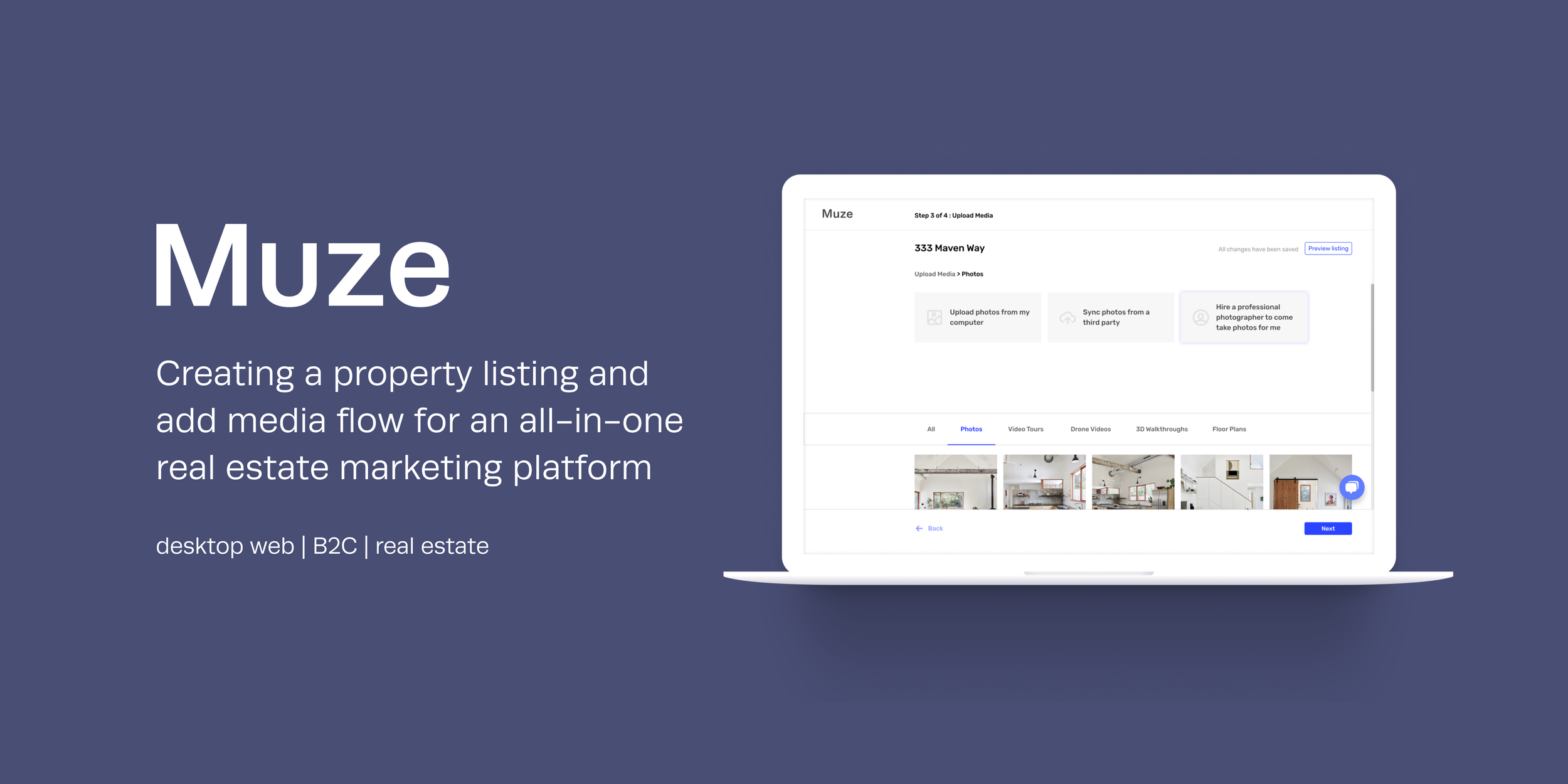
Muze is an all-in-one marketing platform for real estate agents.
When agents create online listings, visual media assets such as photos and floor plans are uploaded to give potential buyers a clear picture of what their new home will look like. Muze hopes to encourage the use of emergent media types such as drone videos and 3D walkthroughs by increasing its accessibility to real estate agents of all tiers. This is achieved by one-click scheduling and renting of media services and tools, and by offering these automated services at an affordable price.
For this project, we focused on introducing Muze’s automated media services to a first-time user in a property listing flow.
Role
Team lead, User Research, Validation Testing, Visual Design, UX Writing
Company
Seed stage
Platform
Desktop Web
Timeline
8 weeks
THE Goal
Educate first-time users on Muze’s automated media services in a property listing flow
THE Opportunity
Education - Introduce real estate agents to Muze's automated media services and emergent media types
Conversion - Entice real estate agents to switch over to Muze from their current marketing processes by highlighting the efficiency and quality of its automated media services
Completion - Find the optimal ordering and number of steps to ensure first-time users complete an information-heavy listing experience
RESULTS SUMMARY
Listing flows are long, let users skim and skip through Muze product offerings.
The main challenge of this project was introducing Muze's automated media services to a first-time user without creating information overload. This is tricky as property listing is already an inherently information-heavy task. Real estate agents are busy yet detail-oriented salespeople, meaning that while they love a quick listing experience, there has to be sufficient information to win their trust in a product with automated features.
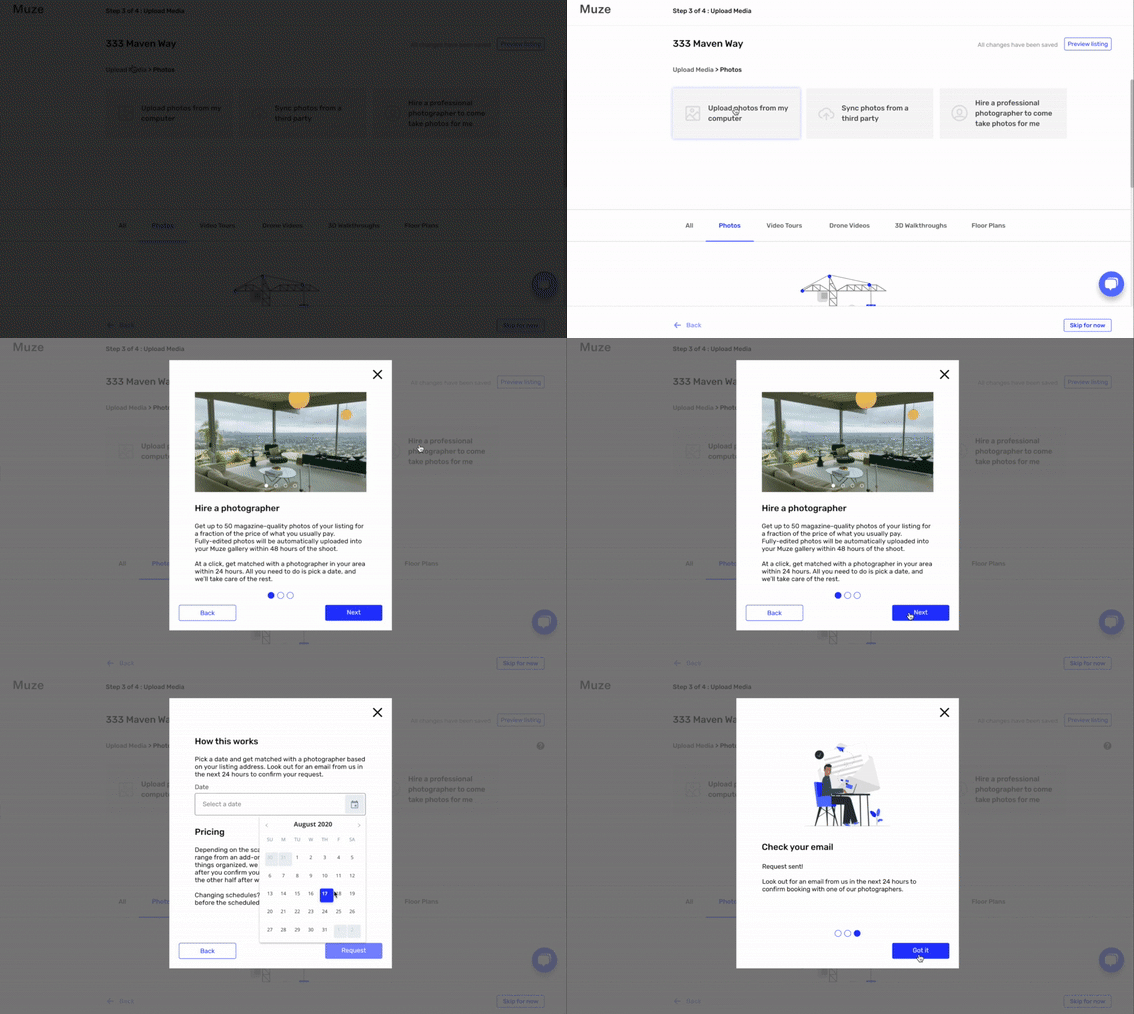
We designed a first-time listing flow that is divided into four sections:
Profile Set Up - Agent’s contact information, brokerage information, real estate license verification
Listing Address - Address input, map location confirmation, MLS syndication
Add Media - Photography, video tours, drone videos, 3D walkthroughs, floor plans
Listing Details - Open house dates, property details
This simplified UI flow uses key screens to communicate the overall structure of Muze’s first-time listing experience.

MARKET RESEARCH
Listing Websites
I looked at online real estate marketplaces to find out what information is required to create listings as agents.


Media Service Request
I looked at Airbnb’s flow for requesting photography services, and at how the platform managed information-heavy listing experiences.

Media Handling
I researched how various media files - particularly emergent media types such as drone videos and 3D walkthroughs - are uploaded, synced, stored, and displayed on the web.



Some of these sites required licensing for full access. We relied on Youtube videos and verbal descriptions from real estate agents in user interviews to fill in the gaps.
USER RESEARCH
As Muze’s first team of designers, our initial research was largely exploratory to first understand the needs of real estate agents.
Sample Selection (n=4)
We looked for participants who:
were either active real estate agents, or were retired agents that have recently hung their license
have experience listing or selling properties
have experience preparing marketing materials for selling properties
Research Questions
We constructed our interview script around the following research questions.
Marketing
What media assets do agents prioritize?
How do agents gather media assets?
What are agents’ frustrations with their current process?
What are agents’ expectations with this process?
What context are agents in they create marketing materials for a listed property?
Listing
What are agents’ current listing processes?
What are agents’ frustrations with this process?
What information is required for an online listing?
What context are agents in when they list a property?
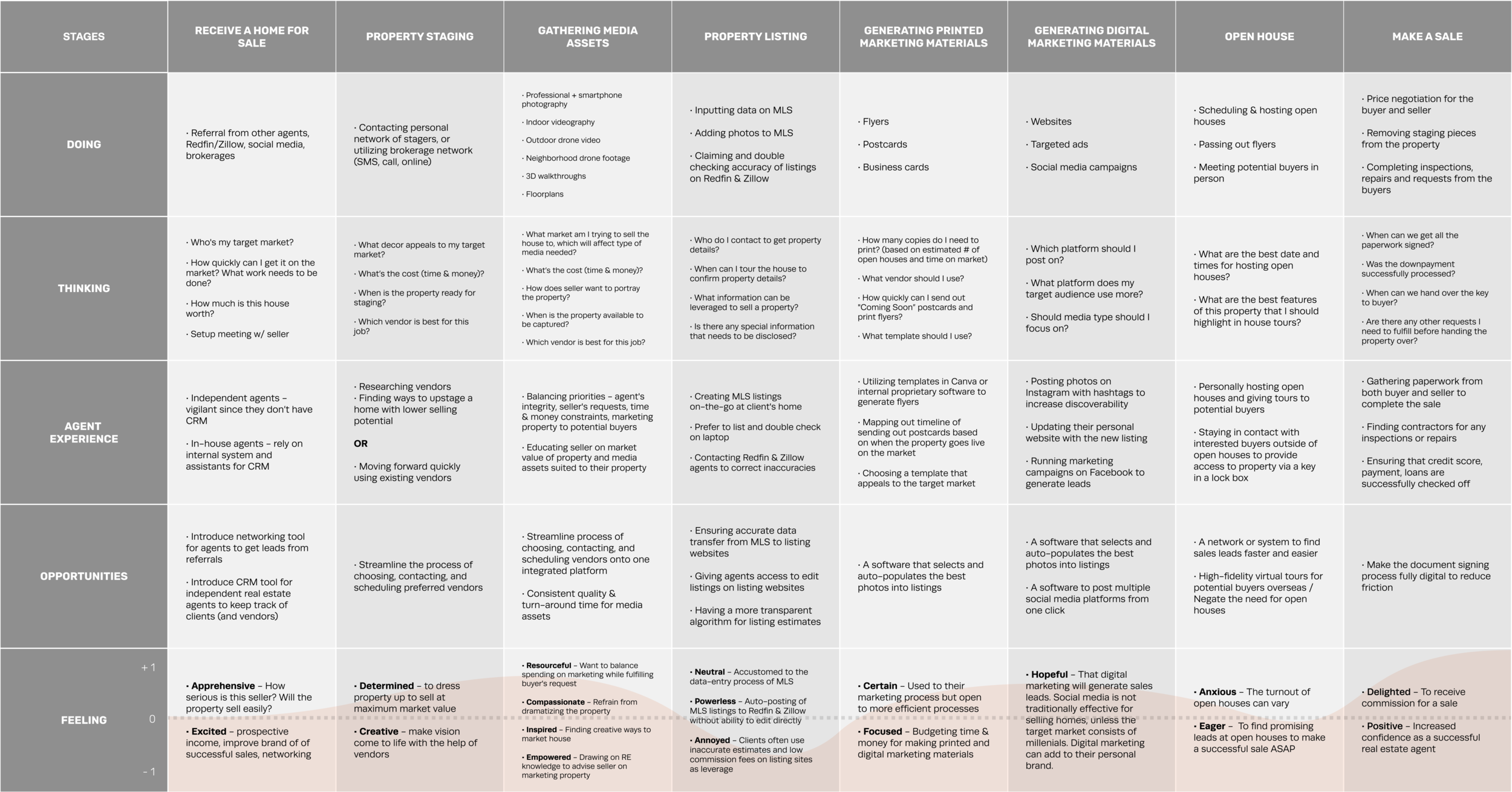
Customer Journey Map
This summarizes our findings on a real estate agent’s selling experience.
Persona
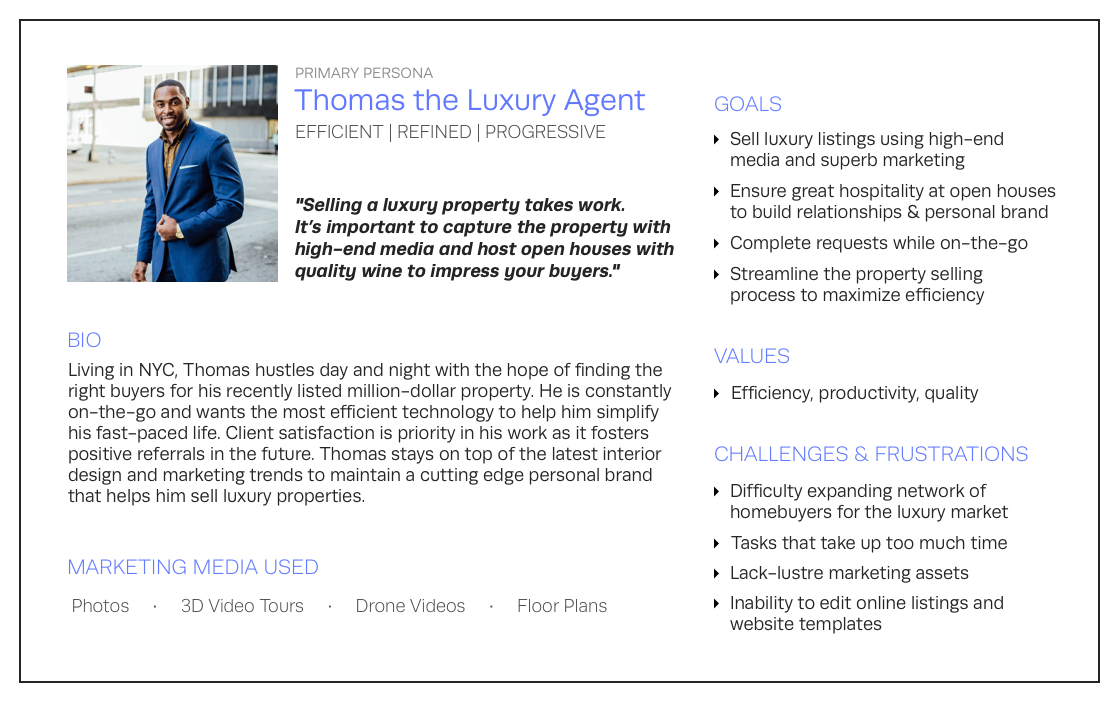
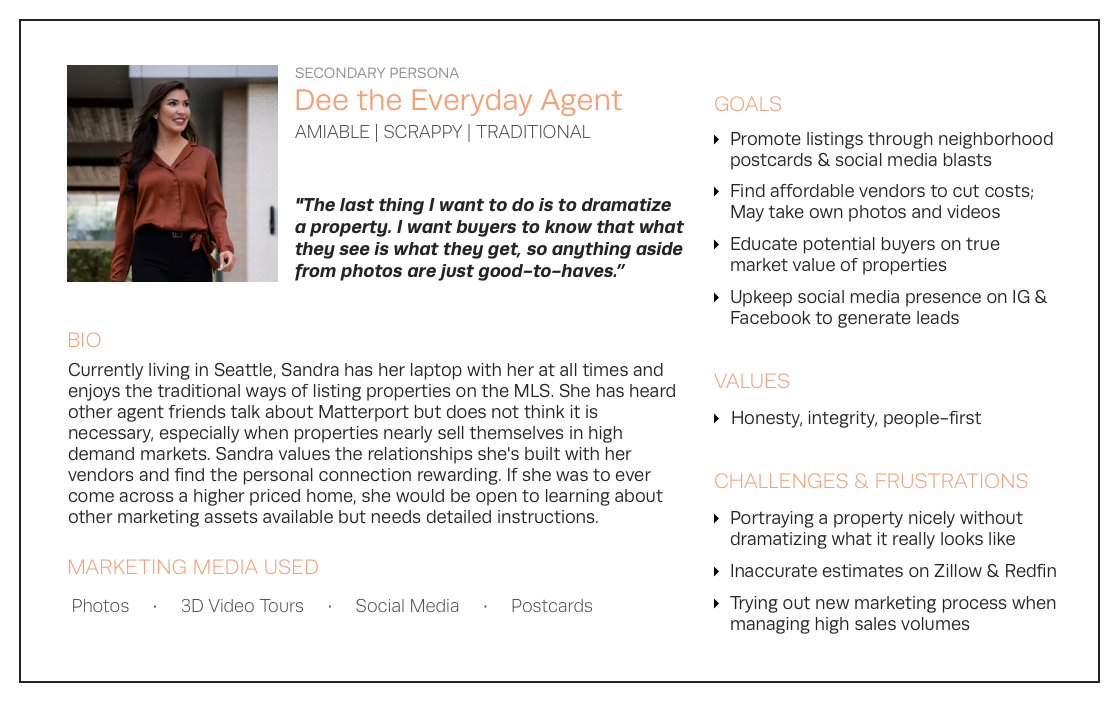
We discovered two main personas through our user interviews.
Our primary persona is the luxury real estate agent.
They are more likely to convert to Muze’s services as they already use high-end media such as drone videos to sell their property. They are willing to invest time and money in marketing, and will likely be Muze’s early adopters.
Our secondary persona is the everyday real estate agent.
They are less likely to convert to Muze’s services as they rely almost solely on photos to sell properties. They care less about the quality of marketing than simply making a sale. They will be followers, switching to Muze if they see evident benefits from use by early adopters.
SOLUTIONS
Task Flow Mapping
Before designing each screen, I had to first establish the overall structure of the flow:
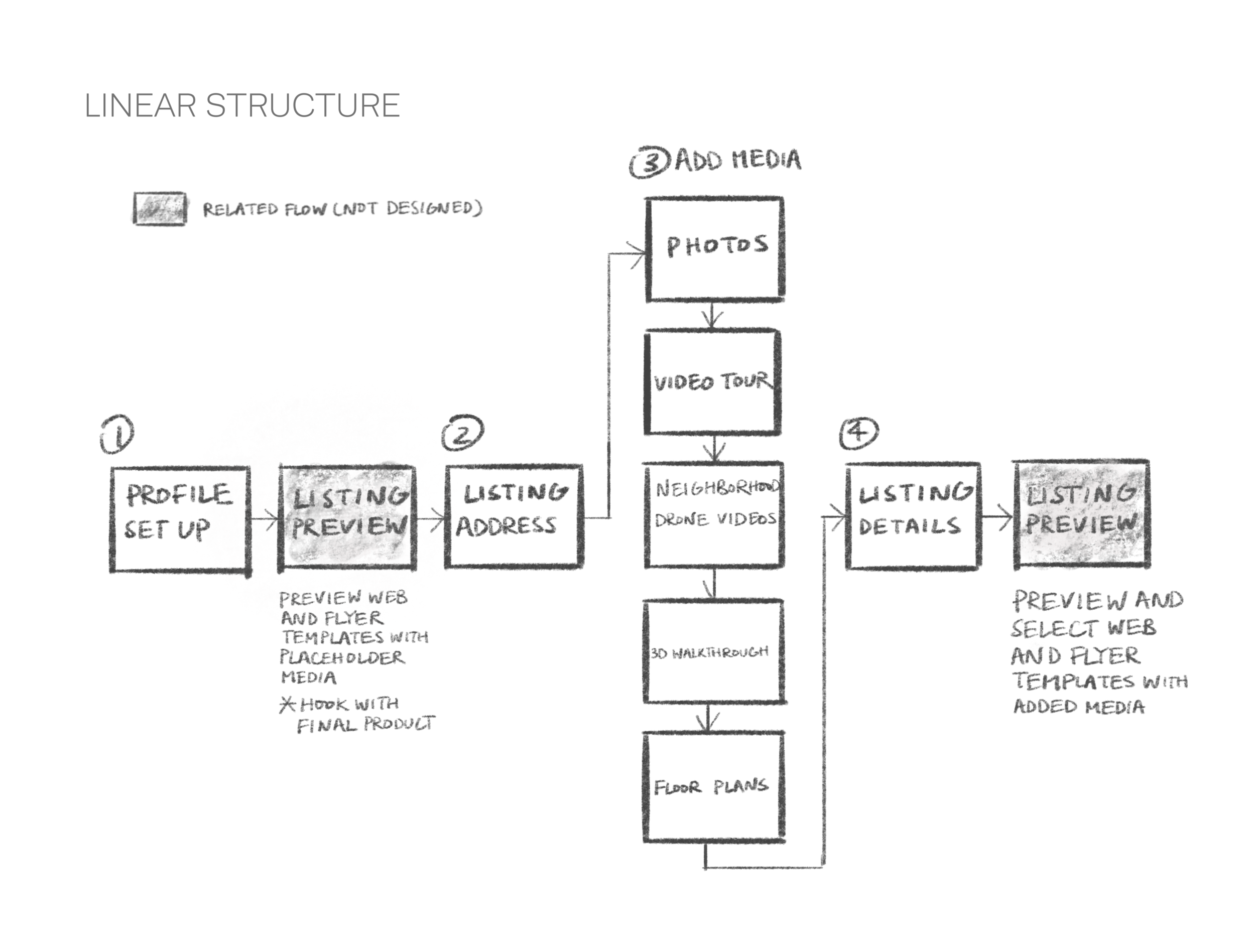
Pro: Gives more visibility to Muze’s media services
Con: Forces first-time users through a lengthy flow
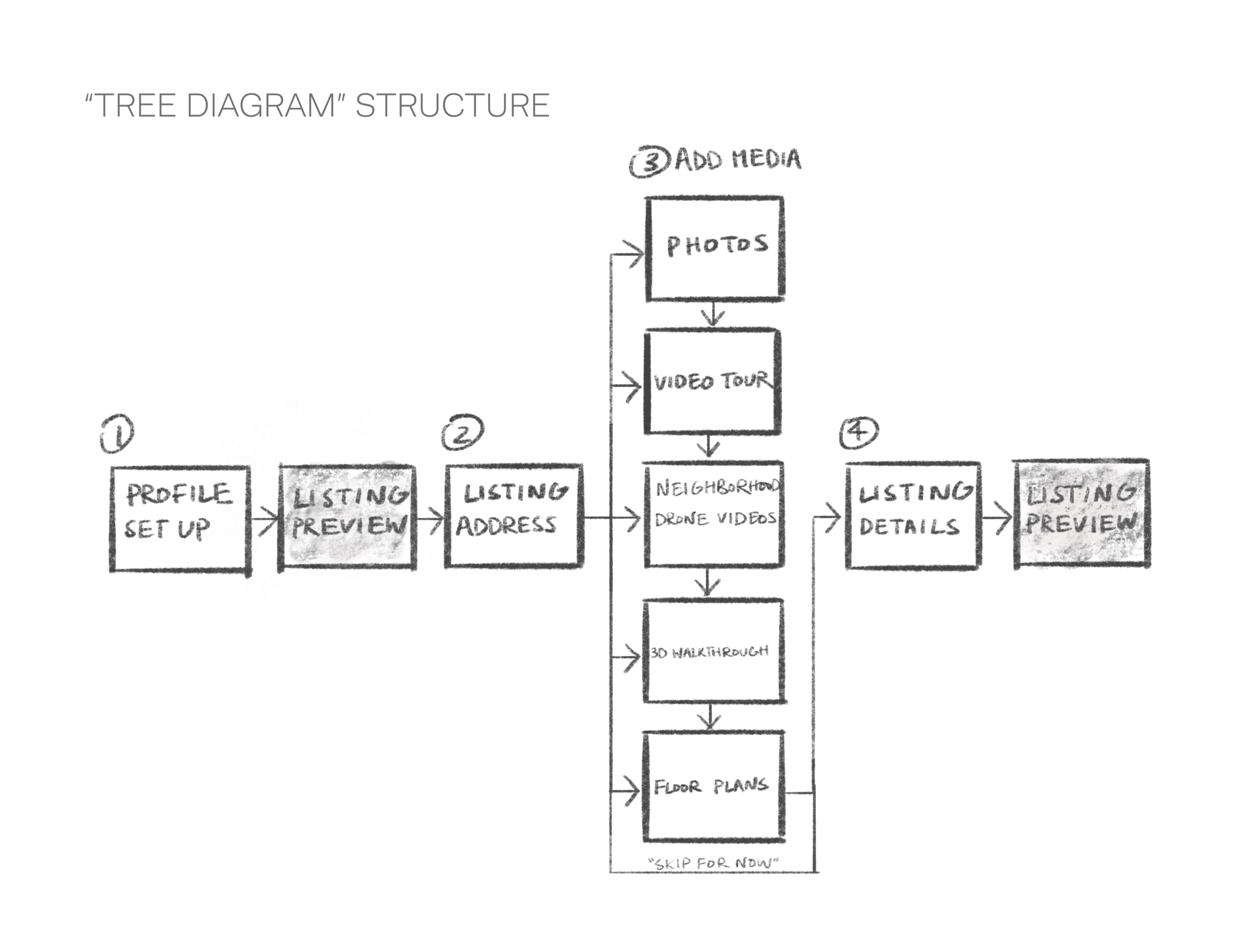
Pro: Allows first-time users to skip directly to media types that interest them
Con: Users might miss introductions to some of Muze’s media services
We went with the "Tree Diagram” structure over the “Linear Structure” in hopes of reducing friction and chances of abandonment. With more resources in the future, the assumption can be validated with A/B testing.
Iterations
I then moved on to UI iterations per screen in lofi.
Button arrangement on “Select Media” and “Add Media” screens
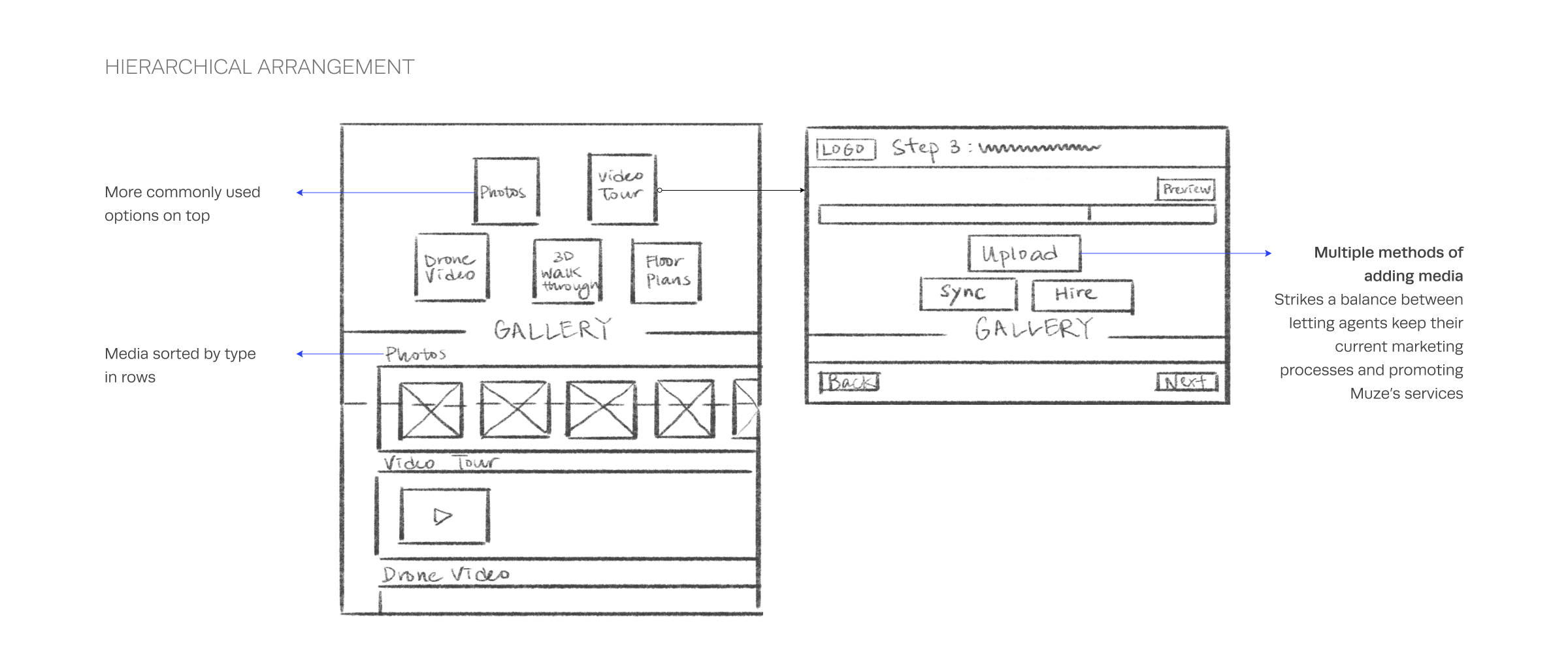
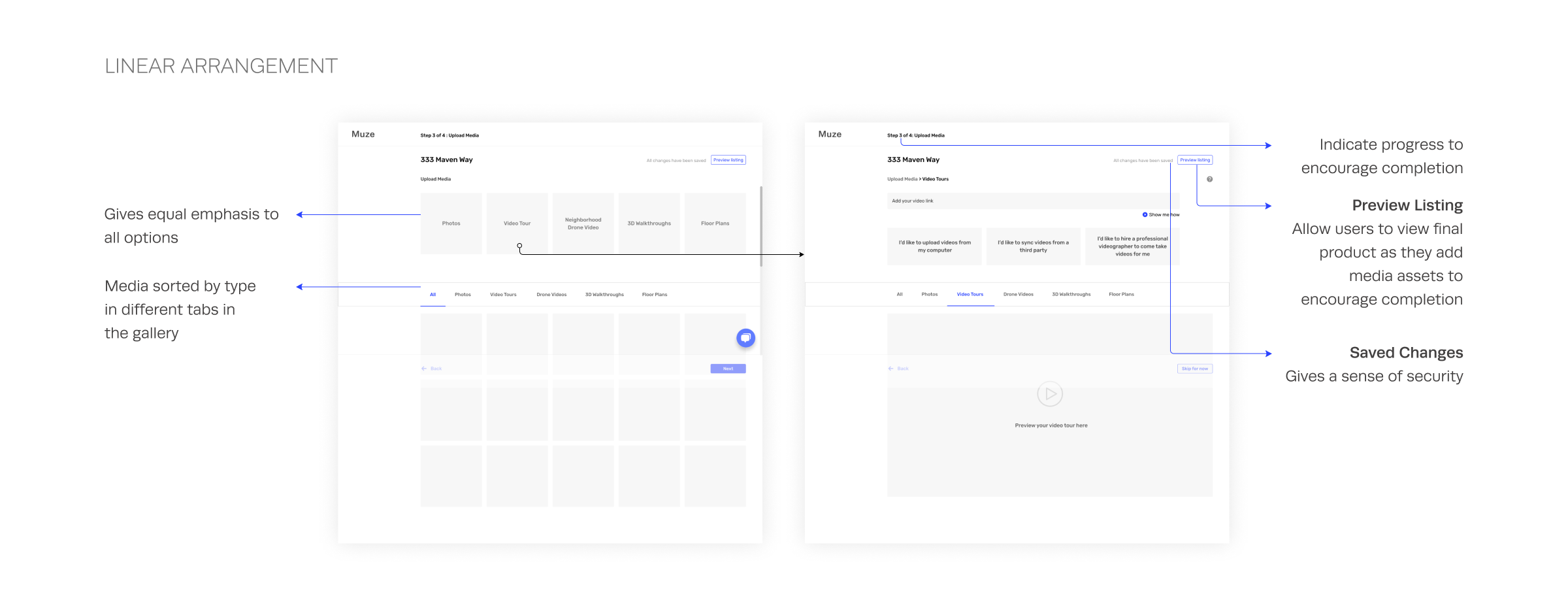
For both iterations, all compatible media types are shown on one screen so agents can see Muze’s breadth of services at a glance. Consistent with the “Tree Diagram” flow structure, this layout lets users pick their entry point and hence level of involvement in the “Add Media” section of the flow.
I went with the “Linear Arrangement” in the end as it gives equal emphasis to all options. This is in line with Muze’s goal - to encourage agents to venture into using emergent media types and to try out their media services.
Design pattern across “Upload”, “OAuth Sync”, “Hire” nested flows
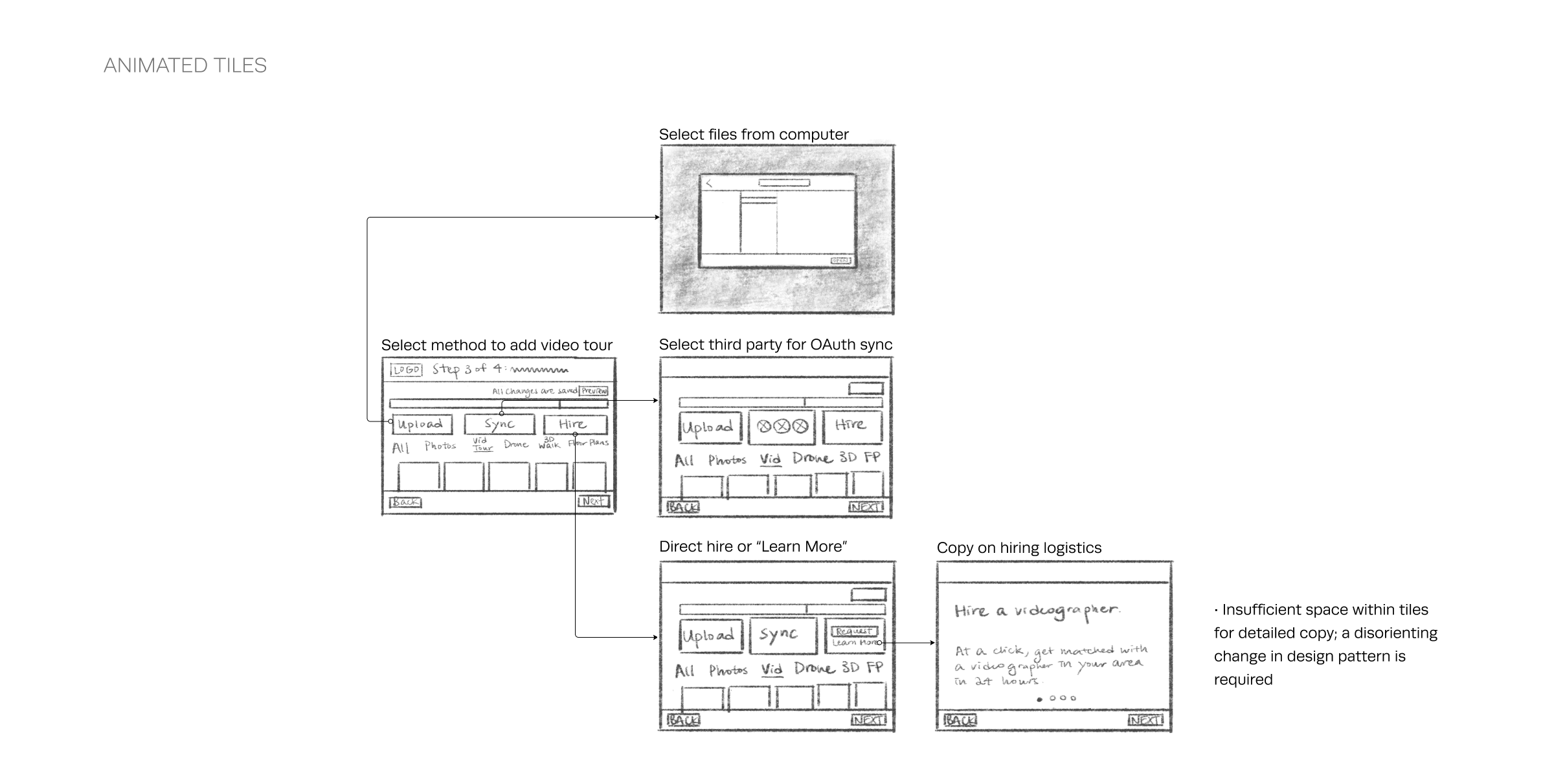
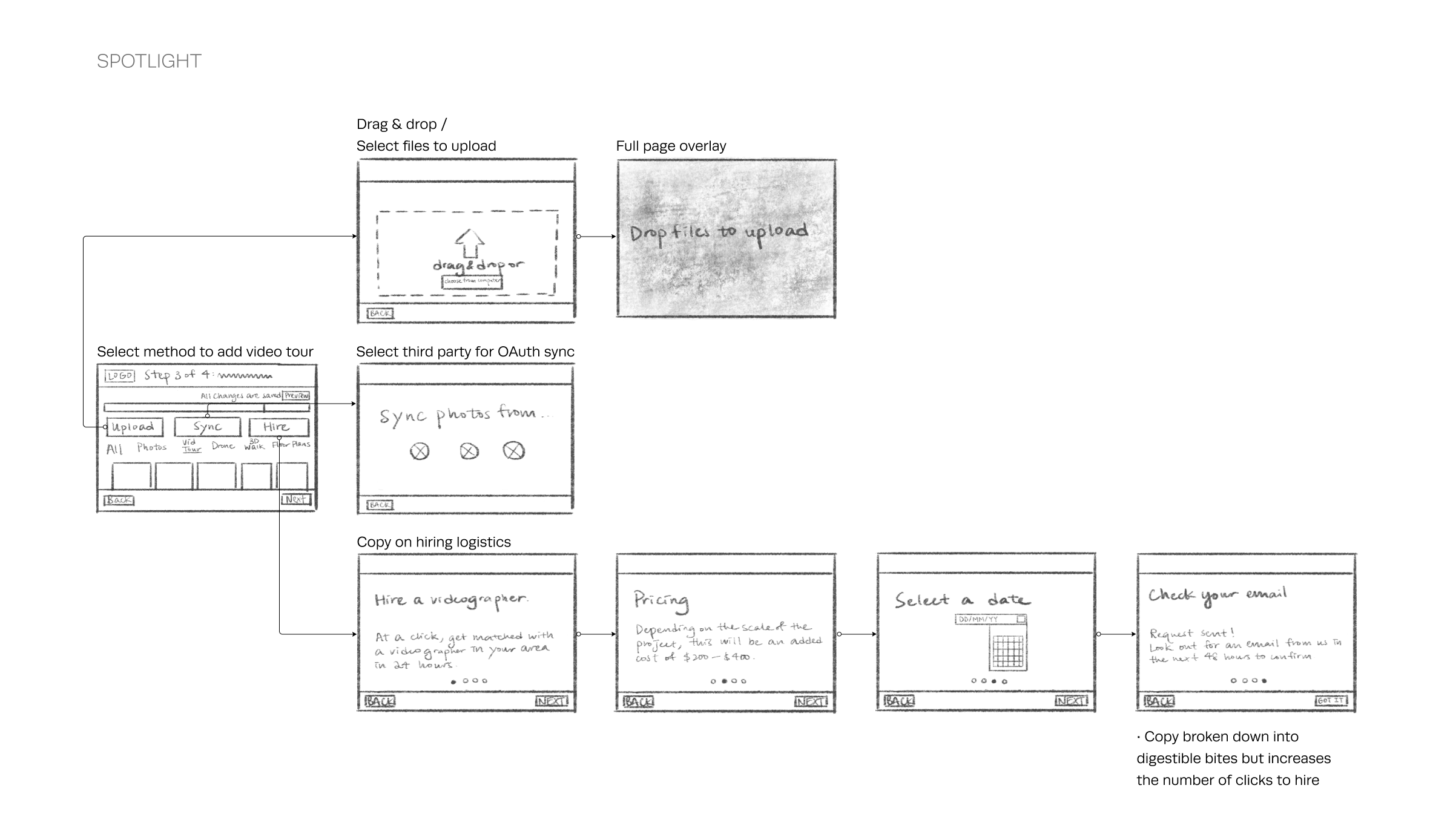
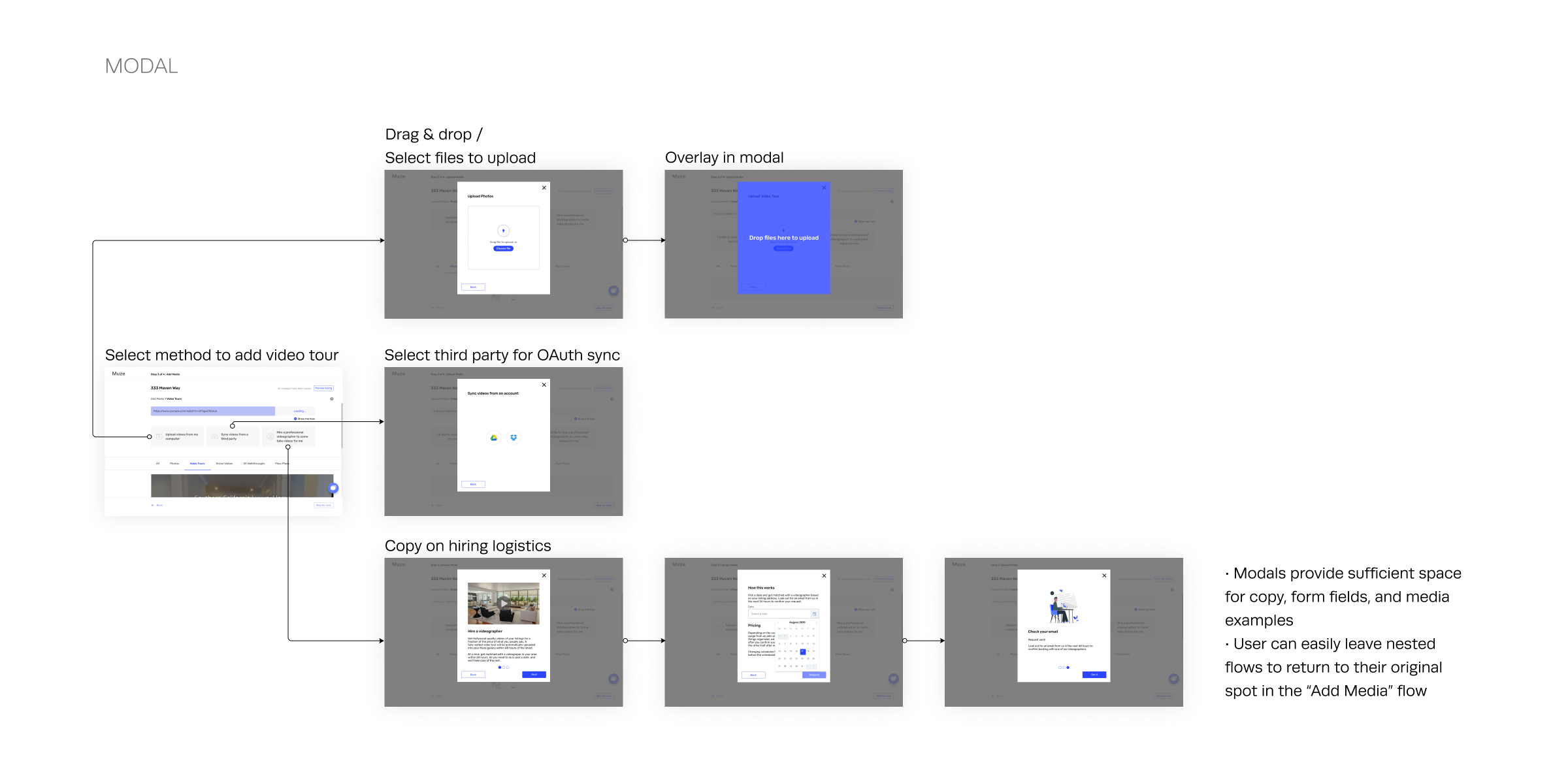
I went with the “Modal” design pattern in the end as it is the most flexible for our three main actions - upload, OAuth sync, and hire. Also, modals make it easy for users to return to their original spot from nested flows.
Validation Testing
Prototype Testing (n=6)
We tested our prototype with another 6 real estate agents to see if we met our goals. Here are our findings.
Educate - Teach real estate agents about Muze's automated media services and expose them to emergent media types
4/6 agents gathered that Muze is an all-in-one marketing platform with automated media services
"Muze is great since I won’t have to look for photographers on Craigslist.”
-
2. Conversion - Entice real estate agents to switch over to Muze from their current marketing processes by highlighting the efficiency and quality of its automated media services
4/6 agents would switch over or use Muze in combination with existing marketing processes, given that Muze has lower costs
4/6 agents would use Muze for marketing high-end properties
-
3. Completion - Find the optimal ordering and number of steps to ensure first-time users complete an information-heavy listing experience
5/6 agents thoughts navigation was simple and easy
5/6 agents completed the listing / add media flow*
*1 agent verbally remarked that she would only complete the flow if she could first see the final product.
“I like the easy format, how it’s step by step.”
Final Deliverable
Before handing off the project, we fixed a few things based on feedback from validation testing.
Finetuning UX writing
A constant battle of this project was being succinct versus being more descriptive. The initial prototype leaned towards conciseness, but we discovered that real estate agents highly value details such as accurate price ranges, logistics etc. when making the decision of whether they would switch over to Muze. Although Muze’s goal is to automate processes, more details were needed to establish trust.
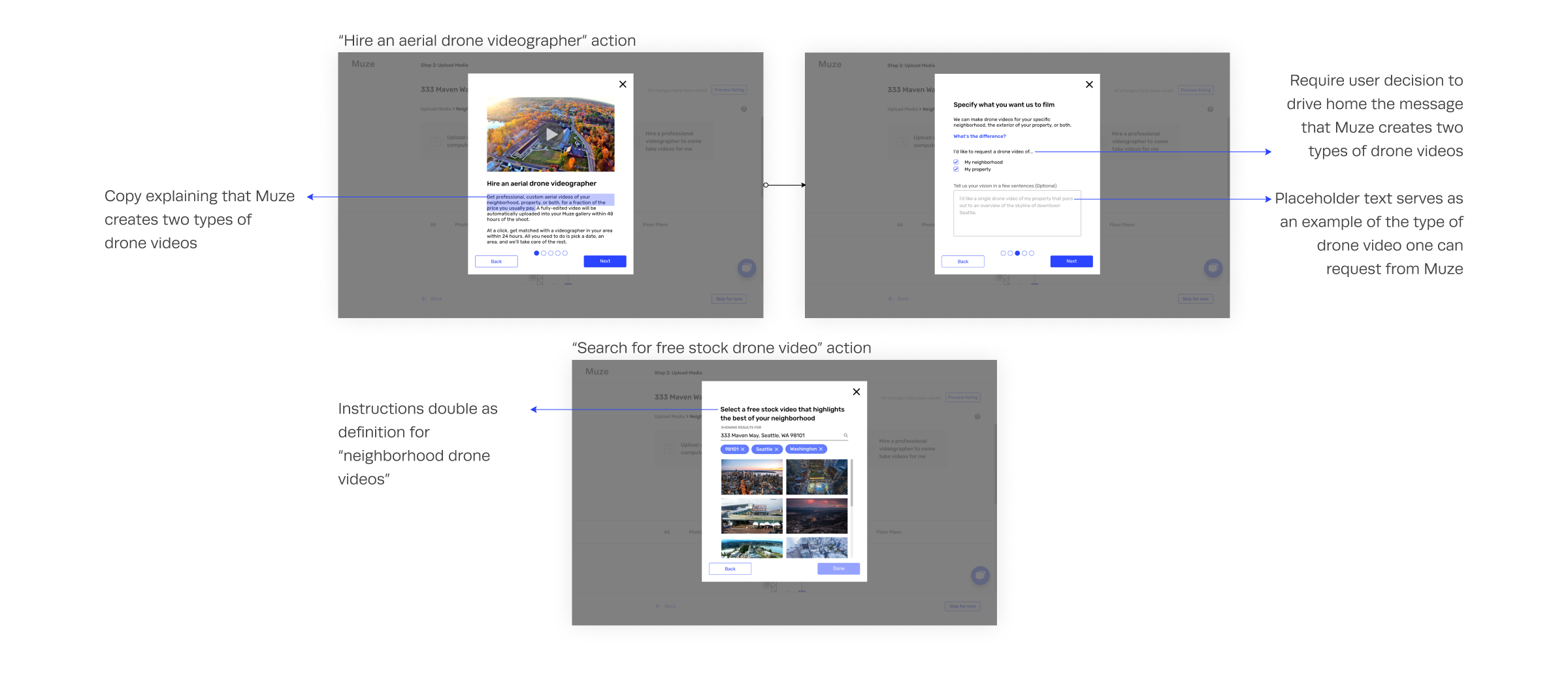
Also, more precise definitions were needed to ensure agents understood Muze’s exact offerings. For instance, a challenge was communicating that Muze offered two types of drone video services - neighborhood drone videos, and property drone videos.
“I’m not sure what neighborhood stock drone videos mean.”
Adding media examples
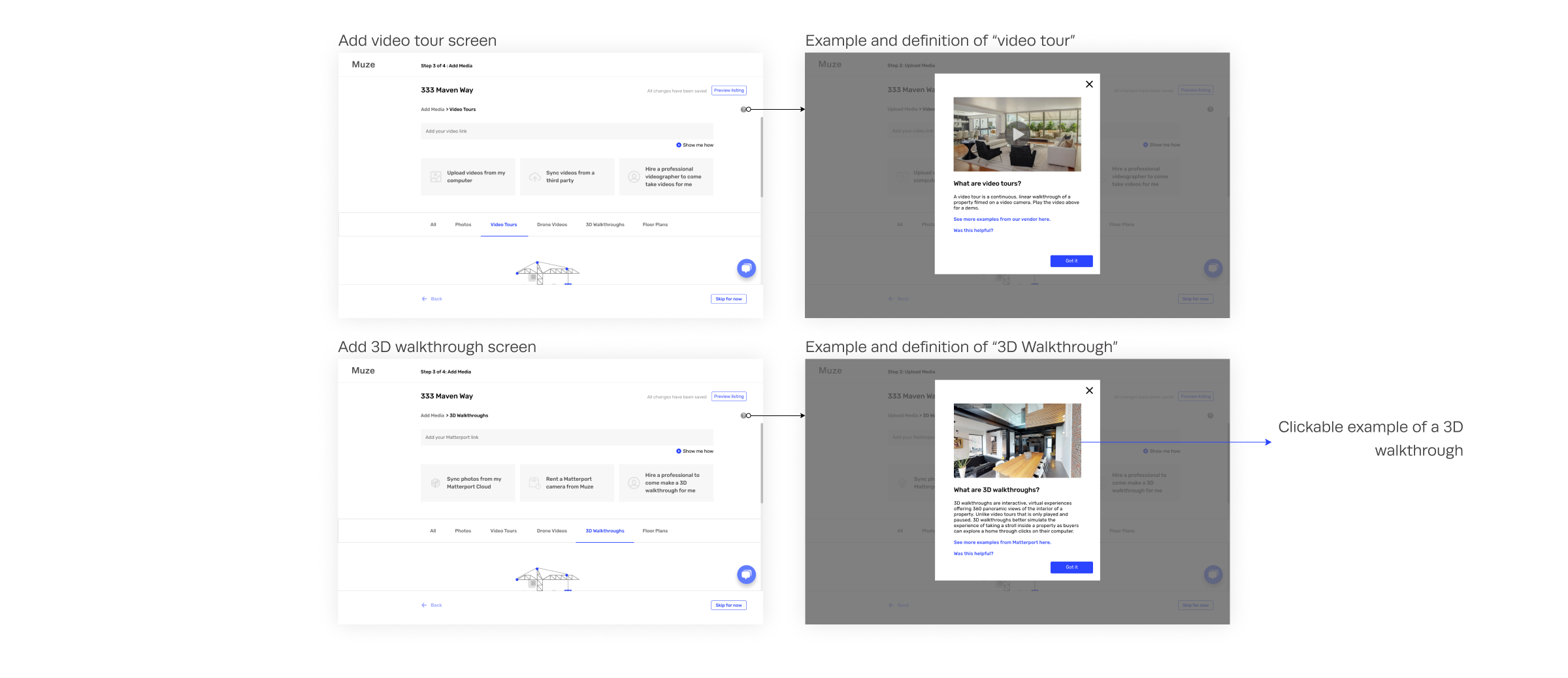
We discovered that agents have different understandings of media types. Aside from using copy, we let various media types explain themselves by adding examples.
2/6 agents requested media examples
”Video tour - is this a virtual experience or a regular camera recording?”
Click affordances and empty state graphics
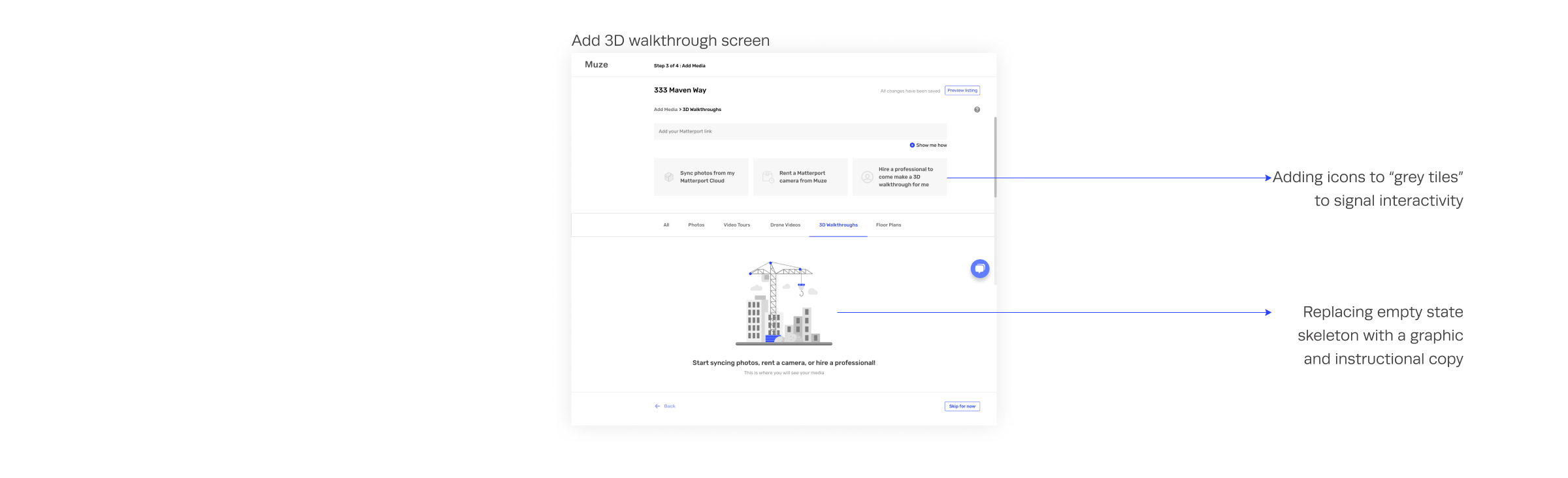
In our first prototype, both clickable tiles and empty state tiles were in light grey. This created confusion on which elements were interactive. To resolve this, we introduced graphics in lieu of grey grids for empty states, and added icons to the clickable grey tiles.
3/6 expressed confusion at “grey tiles” as buttons
2/6 tried clicking on the gallery skeleton
Muze Property Listing & Add Media Flow Demo
RETROSPECTIVE
Depth over breadth
As user research results indicate, we are still gauging real estate agents’ interest in emergent media types. The offering of automated media services is the main differentiator between Muze and its competitors - other listing sites. While a listing flow is a sensible first-time user experience and helps set important context for Muze, we could have focused our efforts on sections of the flow introducing Muze’s automated media services. That would give us more in-depth insight on whether a niche market for Muze exists before investing more time in a lengthy listing flow.